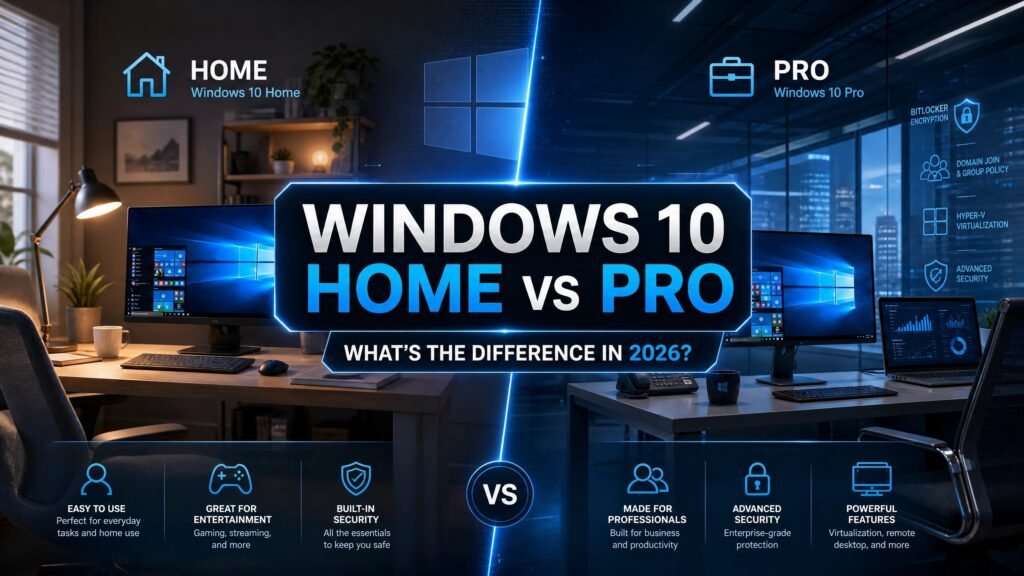
WWindows 10 Home vs Pro comes down to one simple truth: both editions are the exact same operating system — same speed, same apps, same gaming performance — and Windows 10 Pro simply adds a bundle of business and security tools such as BitLocker, Remote Desktop hosting, Hyper-V and Group Policy. If you don’t already know you need those tools, Home is enough. If you handle sensitive files, work remotely, or manage more than one machine, Pro earns its extra cost.
One honesty-first note before we go deeper, because most windows 10 home vs pro articles skip it: Windows 10 reached end of support on October 14, 2025. It still works and still activates, but it no longer receives free security updates. We explain exactly what that means for a 2026 buyer below — because it genuinely changes the decision for some people, and we would rather tell you the full story than sell you the wrong key.
Table of Contents
- Windows 10 Home vs Pro: feature comparison table
- The 7 differences that actually matter
- Windows 10 Pro features explained in plain English
- Windows 10 Home vs Pro for gaming
- Windows 10 Home vs Pro for business
- Windows 10 Home vs Pro price comparison
- Is Windows 10 Pro worth it in 2026?
- Windows 10 end of support — read this before you buy
- How to check which edition you have
- How to upgrade from Home to Pro
- FAQ
Windows 10 Home vs Pro: feature comparison table
Here is the whole windows 10 home vs pro debate in one table. Everything you can see and touch — the Start menu, the browser, Office, games, drivers — is identical. The differences live in security and management.
| Feature | Windows 10 Home | Windows 10 Pro |
|---|---|---|
| Core interface, apps & performance | ✔ Yes | ✔ Yes |
| Full DirectX 12 gaming | ✔ Yes | ✔ Yes |
| Windows Hello, Firewall, Secure Boot | ✔ Yes | ✔ Yes |
| BitLocker full-drive encryption | ✘ Device Encryption only | ✔ Yes |
| Remote Desktop — host (be connected to) | ✘ No | ✔ Yes |
| Remote Desktop — client (connect out) | ✔ Yes | ✔ Yes |
| Hyper-V virtualization | ✘ No | ✔ Yes |
| Windows Sandbox | ✘ No | ✔ Yes |
| Group Policy Editor (gpedit.msc) | ✘ No | ✔ Yes |
| Domain join / Azure AD join | ✘ No | ✔ Yes |
| Assigned Access (kiosk mode) | ✘ No | ✔ Yes |
| Windows Update for Business (update deferral) | ✘ No | ✔ Yes |
| Microsoft Store for Business | ✘ No | ✔ Yes |
| Maximum RAM | 128 GB | 2 TB |
| Maximum CPU sockets | 1 | 2 |
| Microsoft historic retail price | $139 | $199.99 |
Retail figures are Microsoft’s long-standing US suggested prices, shown for reference only — Microsoft no longer sells new Windows 10 licenses directly, which is exactly why genuine resellers now offer them far below those numbers.
The 7 differences that actually matter
Most of the Pro-only feature list is irrelevant to most people. In our experience helping thousands of customers choose between editions, these seven drive almost every real windows 10 home vs pro decision:
- BitLocker — encrypts your entire drive, so a lost or stolen laptop is a useless brick to a thief instead of an open filing cabinet. Home only has a lighter “Device Encryption” on some hardware, without the management and recovery controls that make BitLocker dependable.
- Remote Desktop host — both editions can connect out to another PC, but only Pro can be connected to with the built-in tool. Anyone who wants to reach their office desktop from home needs Pro on that office machine.
- Hyper-V — Microsoft’s own virtualization platform for running a second operating system in a window. Developers and IT professionals use it daily; everyone else never opens it.
- Windows Sandbox — a disposable copy of Windows that evaporates when you close it, ideal for opening a suspicious file or testing an unknown installer safely.
- Group Policy Editor — fine-grained control over how the machine behaves, from update timing to login rules. Home users can only approximate this through risky registry edits.
- Domain / Azure AD join — the entry ticket for any company-managed PC. Without it, a computer simply cannot join a corporate network domain.
- Windows Update for Business — lets you defer and pause feature updates far longer than Home permits, which is why businesses standardise on Pro to control update chaos.
Windows 10 Pro features explained in plain English
In every windows 10 home vs pro breakdown, BitLocker is the headline feature and the only one that regularly matters to non-business users. If your laptop carries client data, tax records, or anything you would not want a stranger reading, full-drive encryption is the difference between “annoying loss” and “data breach.” Home’s Device Encryption works only on certain hardware and gives you almost no control over recovery keys.
Hyper-V and Windows Sandbox are for developers and the professionally cautious. Home can bolt on third-party tools like VirtualBox, but not the native hypervisor that integrates directly with Windows. Windows Sandbox in particular is criminally underrated: one click gives you a clean, throwaway Windows environment for testing anything sketchy.
Assigned Access turns a machine into a locked-down, single-app kiosk, which is why retail displays, digital signage and healthcare check-in stations always run Pro, Enterprise or Education editions.
RAM is the last quiet difference in the windows 10 home vs pro spec sheet: Home tops out at 128 GB while Pro supports up to 2 TB and two physical CPU sockets — a ceiling that only matters for serious workstations, never for a normal desktop or laptop.
Windows 10 Home vs Pro for gaming
For gaming, the windows 10 home vs pro choice genuinely does not matter — buy Home and save the money. Frame rates, load times, input latency, DirectX 12, Game Mode, Auto HDR support and Xbox integration are identical, because both editions share the same kernel and the same driver stack.
There is no “gaming-optimized” Pro kernel, no hidden performance switch, no benchmark on the internet showing Pro delivering more FPS. The Pro extras are administrative and security features that do nothing for gaming. Every dollar you save by choosing Home is a dollar better spent on a faster GPU, more RAM or NVMe storage — the components that actually move frame rates.
The one exception: streamers or modders who run virtual machines alongside their games may want Hyper-V, and that pushes them to Pro. For the other 99% of gamers, the windows 10 home vs pro gaming question has a one-word answer: Home.
Windows 10 Home vs Pro for business
For business, the windows 10 home vs pro answer flips decisively to Pro on every machine. The moment a PC needs to join a domain, be managed by company policy, encrypt its drive with BitLocker, or be reached over Remote Desktop, Home simply stops being an option — those capabilities do not exist in the Home edition at any price.
There is also a hidden cost argument. Buying Pro up front is dramatically cheaper than buying Home and re-licensing an entire fleet the day you hire an IT person, adopt Microsoft Intune, or sign a client contract that requires drive encryption. We have watched small businesses pay for their Windows licenses twice because they saved a few dollars per seat at the start.
Freelancers sit in the middle. If you work alone, never join a domain, and your clients do not impose security requirements, Home is defensible. The moment a contract mentions “encryption at rest” or your accountant mentions “compliance,” the windows 10 home vs pro question answers itself: Pro.
<a id=”price”></a>
Windows 10 Home vs Pro price comparison
Microsoft’s historic retail prices were $139 for Home and $199.99 for Pro — a $61 gap. Since Microsoft ended direct sales of Windows 10, those retail numbers are only a reference point. Genuine, one-time-purchase license keys from legitimate resellers now cost a fraction of retail, which changes the calculus completely: when the windows 10 home vs pro price difference shrinks to a few dollars, the argument for skipping Pro’s features gets much weaker.
Our honest windows 10 home vs pro guidance: compare the real prices on the product pages, not the historic retail gap. At reseller pricing, Pro is frequently so close to Home that we recommend Pro by default for anyone who might ever want BitLocker or Remote Desktop — an in-place edition change later costs more than choosing right the first time.
<a id=”worth-it”></a>
Is Windows 10 Pro worth it in 2026?
Is Windows 10 Pro worth it? For a family PC, a student laptop or a pure gaming rig — no. Home does everything those machines will ever ask of it, and you would be paying for features you will never open.
In the windows 10 home vs pro debate, for a work-from-home professional, a small-business owner, a developer, or anyone who wants BitLocker encryption and Remote Desktop — yes, and it is not close. The productivity and security features pay for themselves the first time you need them.
That is the entire windows 10 home vs pro decision compressed into two sentences. Everything else in this guide is supporting detail.
Windows 10 end of support — read this before you buy
This is the part the typical windows 10 home vs pro article ignores, and in 2026 it changes the maths. We would rather lose a sale than hide it from you.
Windows 10 reached end of support on October 14, 2025. Microsoft shipped the final free cumulative update for version 22H2 and stopped free security patches for all Home and Pro editions. Your PC keeps booting and your files keep opening — but every month afterward, newly discovered vulnerabilities stay unpatched on machines without extended coverage, and the risk on an internet-connected computer climbs steadily.
Whichever side of the windows 10 home vs pro fence you land on, your real options in 2026 are the same:
- Free Windows 11 upgrade. Still available at no cost for a genuine Windows 10 license on eligible hardware (TPM 2.0 and a supported CPU). Per Microsoft’s own end-of-support guidance, this is the recommended path for any machine that qualifies — and it means a genuine Windows 10 key you buy today doubles as a Windows 11 license.
- Consumer ESU (Extended Security Updates). A security-only bridge for eligible Windows 10 version 22H2 devices — enrollment is free via Windows Backup sync, 1,000 Microsoft Rewards points, or a one-time $30 USD purchase covering up to 10 devices. Treat October 13, 2026 as the practical consumer deadline and confirm the current date on Microsoft’s live ESU page before relying on anything later.
- Business ESU. A paid per-device subscription for up to three years, starting at $61 USD for Year One and doubling every consecutive year — deliberately priced so companies migrate rather than settle in.
- Windows 10 IoT Enterprise LTSC 2021. A genuine long-servicing edition that receives security updates until January 13, 2032 under Microsoft’s Lifecycle policy. That is more than five extra years of patched Windows 10 for hardware Windows 11 refuses to touch — and it ships without consumer bloat, so older laptops often feel faster after the switch.
So does buying Windows 10 still make sense in 2026? Honestly — yes, in specific cases: an older PC that fails the Windows 11 compatibility check, a machine tied to legacy software, or a budget build where the very same license also unlocks the free Windows 11 upgrade later. For everything else, we would point you at Windows 11 instead. You can read Microsoft’s official position on its Windows 10 end-of-support page.
How to check which edition you have
Not sure which side of the windows 10 home vs pro line your current PC sits on? Press Windows key + Pause, or go to Settings → System → About, and look under “Windows specifications.” The Edition line says either Windows 10 Home or Windows 10 Pro. You can also type winver in the Start menu for a quick popup. Knowing your current edition matters before you buy, because moving from Home to Pro is a simple key change — while “moving” from Pro back to Home is a full reinstall nobody should volunteer for.
How to upgrade from Home to Pro
Moving up the windows 10 home vs pro ladder is painless: you do not need to reinstall Windows or lose a single file. Go to Settings → Update & Security → Activation → Change product key, enter a genuine Windows 10 Pro key, and Windows performs an in-place edition upgrade in a few minutes — files, apps and settings all stay exactly where they were.
That is the entire windows 10 home vs pro upgrade path: one key, one reboot, done. A genuine Windows 10 Pro license also carries the same PC’s free entitlement to Windows 11 Pro whenever you are ready to move.
Get a genuine Windows 10 key — instant email delivery, lifetime activation
Made your windows 10 home vs pro choice? Buy genuine, one-time-purchase Windows 10 licenses at Kymakers — delivered by email in minutes, activated on Microsoft’s own servers, backed by a money-back guarantee and 24/7 support.
- Browse all Windows 10 editions → Windows 10 category
- Windows 10 IoT Enterprise LTSC 2021 (security updates to 2032 — best for older, Windows 11-ineligible PCs) — $13.99 → View product
Not sure Windows 10 is right for you? Read our Windows 10 End of Support guide and Windows 11 Home vs Pro comparison, or see how to activate your Microsoft product key.
Windows 10 Home vs Pro — FAQ
Is Windows 10 Pro faster than Home? No. Both editions share the same kernel, scheduler and drivers, so boot times, app speed and frame rates are identical. Pro adds features, not performance.
Do I need Windows 10 Pro for gaming? No. Windows 10 Home includes full DirectX 12, Game Mode and Xbox integration. Gaming performance is identical on both editions, so most gamers should choose Home.
What is the main difference in the windows 10 home vs pro comparison? BitLocker encryption, Remote Desktop hosting, Hyper-V, Windows Sandbox, Group Policy and domain/Azure AD join are all Pro-only. Home covers everyday browsing, gaming and office work.
Can I upgrade Windows 10 Home to Pro without reinstalling? Yes. Enter a genuine Pro key in Settings → Update & Security → Activation → Change product key. Windows upgrades in place in minutes and keeps all your files, apps and settings.
Do windows 10 home vs pro keys still activate in 2026? Yes. Windows 10 keys still activate normally on Microsoft’s servers, and a genuine Windows 10 license also entitles the same PC to the free Windows 11 upgrade if the hardware qualifies.
Is it worth buying Windows 10 now that support has ended? Only in specific cases — an older PC that cannot run Windows 11, a machine tied to legacy software, or a budget build where the license also unlocks the free Windows 11 upgrade later. Otherwise, choose Windows 11.
How much RAM does Windows 10 Home support versus Pro? Windows 10 Home supports up to 128 GB of RAM; Windows 10 Pro supports up to 2 TB of RAM and up to two CPU sockets.
Written by the KYMakers Editorial Team. Technically reviewed by a Microsoft licensing specialist. Last updated: August 1, 2026. KYMakers sells genuine, one-time-purchase Microsoft license keys with instant email delivery.