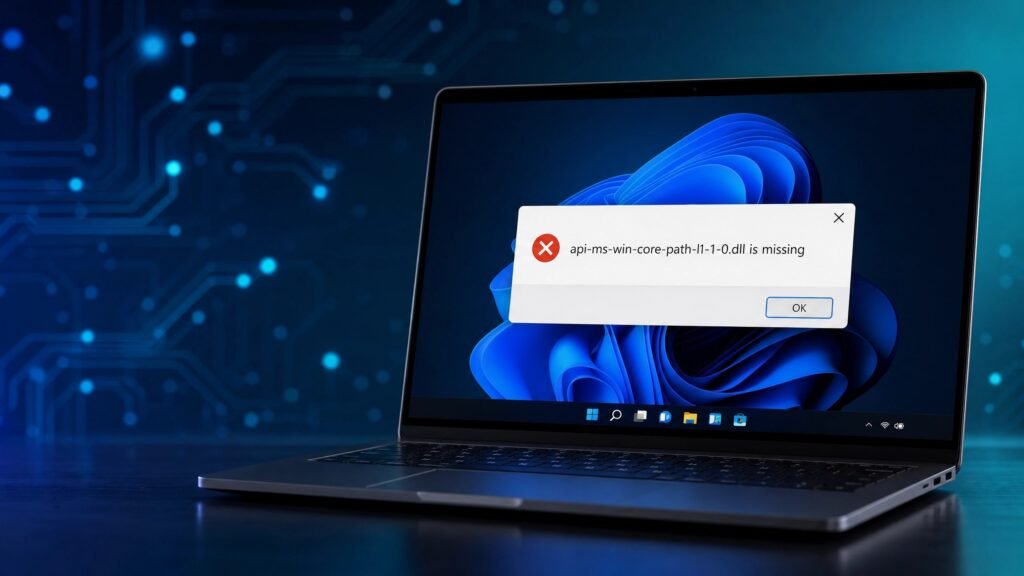
To fix the api-ms-win-core-path-l1-1-0.dll is missing error, install the latest Microsoft Visual C++ Redistributable (2015–2022), apply Windows Update KB2999226, then run sfc /scannow and DISM /Online /Cleanup-Image /RestoreHealth. If you are on Windows 7 or 8.1, those steps often will not be enough — the definitive fix is upgrading to Windows 10, because api-ms-win-core-path-l1-1-0.dll is a modern Windows API-set that older operating systems simply do not contain.
One safety rule before anything else: never download the DLL from a random “DLL download” website. It is a well-known malware vector, it rarely solves the real problem, and we will explain exactly why below. This guide gives you the honest, complete picture — what the file actually is, why the error appears, which programs trigger it, six proven fixes in the right order, and the one solution that makes the error disappear forever.
Table of Contents
- What is api-ms-win-core-path-l1-1-0.dll?
- Why the api-ms-win-core-path-l1-1-0.dll is missing error happens
- Which programs trigger the error?
- How to check if the DLL exists on your PC
- How to fix api-ms-win-core-path-l1-1-0.dll: 6 proven methods
- Warning: do not download the DLL from random sites
- The permanent fix: upgrade to Windows 10
- Fix comparison table
- FAQ
What is api-ms-win-core-path-l1-1-0.dll?
The api-ms-win-core-path-l1-1-0.dll is not an ordinary program library — it is a Windows “API-set” stub. API-set stubs are tiny forwarder files that redirect function calls to the real code inside a core system file, in this case KernelBase.dll. Specifically, api-ms-win-core-path-l1-1-0.dll exposes the modern PathCch family of path-handling functions, such as PathCchCanonicalizeEx, PathCchCombineEx and PathCchSkipRoot — the functions Windows uses internally to work with long file paths safely.
Here is the single most important fact in this entire guide: those PathCch functions were introduced in Windows 8. Microsoft’s official documentation lists “Minimum supported client: Windows 8” and “Minimum supported server: Windows Server 2012” for every one of them. That means Windows 7 and Windows Server 2008 R2 never shipped with api-ms-win-core-path-l1-1-0.dll at all — the file and the entire API set behind it did not exist yet when those systems were built.
This changes how you should think about the error. On Windows 7, you are not missing a file that fell out of place and can be put back. You are missing an entire operating-system capability that Microsoft added in a later version of Windows. No repair tool can restore something that was never there, which is why so many people spend hours on fixes that were never going to work.
On Windows 8.1 and Windows 10, the api-ms-win-core-path-l1-1-0.dll story is different: the file ships with the system, so if it goes missing there, you are usually dealing with genuine file corruption — and the repair tools in this guide will actually help.
Why the api-ms-win-core-path-l1-1-0.dll is missing error happens
The error message usually appears in one of these forms:
- “The program can’t start because api-ms-win-core-path-l1-1-0.dll is missing from your computer. Try reinstalling the program to fix this problem.”
- “The code execution cannot proceed because api-ms-win-core-path-l1-1-0.dll was not found. Reinstalling the program may fix this problem.”
- “Error loading api-ms-win-core-path-l1-1-0.dll. The specified module could not be found.”
Notice the irony in the first message: Windows itself suggests reinstalling the program, but on Windows 7 that advice is useless — the new installation will depend on the exact same missing API set. There are four realistic causes, and each one points to a different fix:
1. You are running a Windows-10-era app on Windows 7 or 8.1 (most common)
This is the number-one cause by a wide margin. When a program is compiled with a recent Windows 10 SDK and then launched on Windows 7, it asks the operating system for the PathCch functions inside api-ms-win-core-path-l1-1-0.dll. Windows 7 cannot provide them, so the app refuses to start before it even draws a window. Reinstalling the same version of the program changes nothing, because every new build keeps depending on the same missing API set.
2. A missing Universal C Runtime (KB2999226)
A closely related family of errors — api-ms-win-crt-runtime-l1-1-0.dll and the other api-ms-win-crt files — is caused by a missing Universal C Runtime (UCRT). Microsoft delivered the UCRT to older systems through update KB2999226, which allows desktop applications built with modern Visual Studio versions to run on earlier Windows. Installing KB2999226 genuinely fixes those CRT errors.
Important nuance most articles get wrong: KB2999226 installs only the api-ms-win-crt UCRT files. It does not install api-ms-win-core-path-l1-1-0.dll, because that file is a separate Windows core OS API-set, not part of the C Runtime. Installing KB2999226 is still worth doing — it fixes the sibling CRT errors and is a healthy prerequisite — but on Windows 7 it will not, by itself, resolve a genuine api-ms-win-core-path-l1-1-0.dll error. Knowing this distinction saves you from the most common dead end in every forum thread on this topic.
3. Missing or corrupted Visual C++ Redistributable
Many desktop apps and games need the Microsoft Visual C++ Redistributable to run. A missing or damaged runtime can produce DLL launch errors that look very similar to this one, so installing the current redistributable is a sensible early step that costs you two minutes.
4. Corrupted system files
On Windows 8.1 and 10 — where the DLL should exist — the error can appear because the component store or a system file has been corrupted by a bad update, malware, disk errors or an abrupt shutdown. This is where sfc /scannow and DISM earn their keep.
Which programs trigger the api-ms-win-core-path-l1-1-0.dll error?
Because this is fundamentally a “modern app on an old OS” problem, the culprits are almost always recent software running on Windows 7 or 8.1. Recognizing your program in this list tells you immediately whether you face a repairable corruption issue or the deeper operating-system limitation:
Python 3.9 and newer (the classic case)
The most famous trigger is Python. Python 3.9.0, released October 5, 2020, was the first version to disallow Windows 7. The official python.org release notes state that the installer actively blocks installation on Windows 7, because Python 3.9 is incompatible with that unsupported version of Windows. Python 3.8 was the last release to support Windows 7.
The reason is exactly our DLL: from 3.9 onward, Python’s core began importing the PathCch functions in api-ms-win-core-path-l1-1-0.dll instead of the older path functions that Windows 7 supports. Every current Python build carries the same restriction — and this ripples outward, because thousands of tools embed Python. Blender 2.93 and newer, many PyInstaller-packaged applications, various AI tools and scientific software all throw the exact same error on Windows 7 for the exact same reason.
If you only need Python itself on a Windows 7 machine, the workaround is installing Python 3.8.x, the last compatible branch. But be aware that 3.8 reached its own end of life in October 2024, so no security fixes are coming — it is a stopgap, not a destination.
Modern games and game engines
Indie and modern titles built and tested only on Windows 10/11 frequently fail on Windows 7 with this DLL error the moment they launch. Games built on recent Unity, Unreal Engine or Godot versions are common examples, since the engines themselves dropped Windows 7 support years ago.
Adobe and other modern applications
Recent Adobe Acrobat and Reader builds and similar creative applications rely on Windows 8+ API sets. On Windows 7 they commonly show a matching API-set error. The durable workaround is installing an older, Windows-7-compatible version and disabling auto-update so the software cannot silently upgrade itself back into the error — or, of course, upgrading the OS.
Development tools and runtimes
Node.js 14+, current Git for Windows builds, modern browsers past their final Windows 7 releases, and many developer utilities share the same dependency chain. If your work depends on current tooling, Windows 7 has quietly become a wall.
How to check if api-ms-win-core-path-l1-1-0.dll exists on your PC
Before spending an hour on fixes, take sixty seconds to confirm what you are dealing with. Open Command Prompt and run:
dir C:\Windows\System32\downlevel\api-ms-win-core-path-l1-1-0.dllOn Windows 10 and 11, the API-set stubs live in the System32\downlevel folder, and the command will list the file. On Windows 7, the folder and the file simply do not exist — the command returns “File Not Found,” which confirms in one line that no amount of reinstalling, scanning or repairing will conjure it up. Your machine is missing the operating-system capability itself, and Fix 6 below is your real path forward.
Two more quick diagnostics that save people hours:
- Check which Windows you are actually running. Press Windows key + Pause, or type winver in the Start menu. A surprising number of “unfixable” cases turn out to be Windows 7 machines whose owners believed they were on Windows 10.
- Check the app’s official system requirements. If the program’s page says “Windows 10 or later,” the error is expected behavior on Windows 7, not a fault you can repair. The vendor compiled the software against API sets your system predates.
How to fix api-ms-win-core-path-l1-1-0.dll: 6 proven methods
Work through these in order. Fixes 1–4 are quick and safe on any system; Fix 5 is the Windows 7 workaround; Fix 6 is the permanent solution.
Fix 1 — Install the latest Visual C++ Redistributable (2015–2022)
The fastest first move against an api-ms-win-core-path-l1-1-0.dll error is refreshing the runtimes.
Download the current x64 and x86 packages directly from Microsoft and install both on 64-bit Windows (many programs are still 32-bit and need the x86 runtime even on a 64-bit system). Visual Studio 2015, 2017, 2019 and 2022 all share the same redistributable, so one current package covers applications built with any of those toolsets.
Get it only from the official Microsoft page— search “latest supported Visual C++ redistributable” or go to Microsoft’s documentation site directly. Install both architectures, then reboot and test your program again.
Fix 2 — Install Windows Update KB2999226 (Universal C Runtime)
On Windows 7 SP1, 8 or 8.1, install the Universal C Runtime update KB2999226 from the official Microsoft Download Center, or simply run Windows Update until no updates remain — the UCRT arrives through the normal update channel. This resolves the sibling api-ms-win-crt errors and is a healthy prerequisite for everything else. Remember the nuance from earlier: on Windows 7, this step supports but does not replace the OS upgrade in Fix 6.
Fix 3 — Run System File Checker (sfc /scannow)
This one is most effective on Windows 8.1 and 10, where the DLL should exist but may be corrupted. Open Command Prompt as Administrator (right-click, Run as administrator) and run:
sfc /scannowLet the scan reach 100% before closing the window — it can take fifteen minutes or more on older drives. If it reports that it found and repaired corrupt files, reboot and test again. If problems persist, run it a second and even third time; Microsoft’s own guidance notes that repeated passes can resolve residual corruption.
Fix 4 — Repair the component store with DISM
If SFC could not fix everything, the Windows image underneath it may itself be damaged. Repair it first, then run SFC again (Windows 8, 10 and 11):
DISM /Online /Cleanup-Image /RestoreHealthDISM downloads clean replacement files via Windows Update, so stay connected to the internet. The progress bar famously stalls around 62% — that is normal, let it finish. When it completes, run sfc /scannow once more, reboot, and test your program.
Fix 5 — Reinstall or downgrade the affected program
Fully uninstall the program that throws the error, restart, then reinstall the latest version from the official vendor — this rules out a botched installation. On Windows 7, if the latest version keeps failing, the practical workaround is installing the last version that officially supported Windows 7 (for example, Python 3.8, or an older Acrobat release) and disabling automatic updates so it cannot re-upgrade itself into the error. This works, but understand what it is: you are pinning yourself to aging, unpatched software on an aging, unpatched OS.
Fix 6 — Upgrade to Windows 10: the definitive api-ms-win-core-path-l1-1-0.dll fix
If you are on Windows 7 or 8.1 and Fixes 1–5 did not solve it, this is the real answer. Because this DLL is a Windows-8+ operating-system API-set, the only supported way to obtain it permanently is to move to a version of Windows that includes it. Windows 10 ships with api-ms-win-core-path-l1-1-0.dll and the complete PathCch API set, so Python 3.9+, modern games and current applications simply run.
The upgrade itself keeps your files and programs, takes 30–90 minutes, and we have documented every step: read our guide on how to upgrade Windows 7 to Windows 10 at kymakers.shop/upgrade-windows-7-to-windows-10/ — including the honest truth about activation in 2026 (the free-activation era ended in September 2023, so you will need a genuine Windows 10 key).
Warning: do NOT download api-ms-win-core-path-l1-1-0.dll from random sites
This is the most important safety section in this guide. Search results for this error are full of sites offering a “free api-ms-win-core-path-l1-1-0.dll download” — a single file you drop into System32 and supposedly everything works. Please do not do this, for three concrete reasons:
- It is a known malware vector. DLL download sites are a classic delivery method for trojans and DLL-hijacking payloads, because a malicious DLL runs with the same permissions as the program that loads it — often full user access to your files, browser sessions and saved passwords. Security researchers consistently advise against downloading DLLs from any third-party source, ever.
- It usually doesn’t even fix the problem. On Windows 7, a single copied stub file cannot recreate the entire Windows-8+ API set behind it. The stub forwards calls to functions inside KernelBase.dll that your Windows 7 copy of KernelBase simply does not contain. You will typically trade one error message for another, or get a crash deeper in the program.
- It can violate Microsoft’s licensing. These are operating-system files, not freely redistributable components. Sites repackaging them are distributing files they have no right to distribute — which tells you something about their overall trustworthiness.
The safe rule is simple: get runtimes only from Microsoft, get applications only from their official vendors, and if the DLL is genuinely part of a newer Windows — upgrade the OS. That is the entire legitimate solution space.
The permanent fix for Windows 7 and 8.1: upgrade to Windows 10
If your api-ms-win-core-path-l1-1-0.dll error comes from running modern software on Windows 7 or 8.1 — the overwhelming majority of cases — upgrading to Windows 10 removes the root cause forever, and every future program you install will find the API set it expects.
Being honest about the calendar, because we always are: mainstream Windows 10 support ended on October 14, 2025. Consumer Extended Security Updates (ESU) can bridge eligible Windows 10 devices for a while longer. And there is one edition with a much longer runway: Windows 10 IoT Enterprise LTSC 2021, which Microsoft supports with security updates through January 13, 2032.
That last option deserves a moment of attention, because it is tailor-made for exactly the machines that hit this DLL error. LTSC (Long-Term Servicing Channel) is the stripped-down, stability-focused edition of Windows 10 — no Store bloat, no feature-update churn, just security patches for years. For a Windows 7-era PC that will never pass Windows 11’s hardware checks (TPM 2.0, Secure Boot, 2018+ CPU), LTSC 2021 is the only road to a Windows that is both modern enough to run today’s software and supported into the next decade. It also runs noticeably lighter than standard Windows 10 on old hardware.
Get a genuine Windows 10 key at Kymakers — instant email delivery, one-time purchase, activated on Microsoft’s own servers, money-back guarantee:
- Windows 10 IoT Enterprise LTSC 2021 (security updates to January 13, 2032) — $13.99 → kymakers.shop/product/windows-10-iot-enterprise-ltsc-2021-product-key/
- Browse all Windows 10 editions → kymakers.shop/product-category/windows/windows-10/
Helpful next reads on our site:
- How to upgrade Windows 7 to Windows 10 (step-by-step)
- Windows 10 Home vs Pro — which do you need
- How to activate your Microsoft product key
- Windows 10 end of support — ESU and LTSC explained
Fix comparison: which method solves api-ms-win-core-path-l1-1-0.dll?
| Fix | Best for | Fixes the Windows 7 root cause? | Effort |
|---|---|---|---|
| Visual C++ Redistributable | All Windows versions | Partially (related errors only) | Low |
| KB2999226 (Universal CRT) | Windows 7 / 8 / 8.1 | No* | Low |
| sfc /scannow | Win 8.1/10 corruption | No (on Win 7) | Low |
| DISM RestoreHealth | Win 8/10/11 corruption | No (on Win 7) | Medium |
| Reinstall / downgrade the app | Windows 7 workaround | Workaround only | Medium |
| Upgrade to Windows 10 | Windows 7 / 8.1 users | Yes — permanent | Medium |
*KB2999226 fixes the related api-ms-win-crt errors but does not install api-ms-win-core-path-l1-1-0.dll, which is an OS-level API set.
Prevention: avoiding this error on other programs
Once one application hits the api-ms-win-core-path-l1-1-0.dll wall on an old system, others will follow. The software world moved on when Windows 8 introduced the new path APIs, and every year more installers assume they exist.
Practical prevention comes down to three habits. Keep a list of the “last compatible versions” of the tools you rely on, and pin them with auto-update disabled. Prefer portable versions of utilities, which are less likely to silently upgrade themselves past your OS. And plan the move to a supported Windows before a critical program forces the decision at the worst possible moment.
The honest summary of this entire guide: everything except the OS upgrade is a delay tactic on Windows 7. Sometimes a perfectly reasonable one — but a delay nonetheless.
api-ms-win-core-path-l1-1-0.dll FAQ
Is it safe to download api-ms-win-core-path-l1-1-0.dll from a DLL website? No. DLL download sites are a well-documented malware vector, and a copied stub file rarely fixes the underlying missing API set on Windows 7. Use only Microsoft downloads and official app installers, or upgrade Windows.
Why does Python give the api-ms-win-core-path-l1-1-0.dll is missing error? Python 3.9.0 (October 5, 2020) was the first version to disallow Windows 7, because it started using the PathCch functions in this DLL, which only exist on Windows 8 and later. Use Python 3.8 on Windows 7, or upgrade to Windows 10 for Python 3.9 and newer.
Does KB2999226 fix api-ms-win-core-path-l1-1-0.dll? Not directly. KB2999226 installs the Universal C Runtime (the api-ms-win-crt files) and fixes those sibling errors. This DLL is a separate OS-level API set, so on Windows 7 the operating system itself must be upgraded.
Will sfc /scannow fix the error on Windows 7? sfc /scannow and DISM repair corrupted files that should exist. On Windows 7 the file never existed, so SFC cannot restore it. These tools are effective on Windows 8.1, 10 and 11, where corruption is the actual cause.
Is api-ms-win-core-path-l1-1-0.dll a virus? The genuine file is a legitimate Microsoft API-set stub that forwards to KernelBase.dll. However, copies downloaded from unofficial “DLL fixer” sites may be tampered with, so treat any version that did not come from Windows itself as suspicious.
Which Windows versions include api-ms-win-core-path-l1-1-0.dll? Windows 8, 8.1, 10 and 11 include it, via the PathCch API set introduced in Windows 8 and Windows Server 2012. Windows 7 and Windows Server 2008 R2 do not include it at all.
Can I still use Windows 10 in 2026 after end of support? Yes. Mainstream support ended October 14, 2025, but consumer ESU extends protection for eligible devices, and Windows 10 IoT Enterprise LTSC 2021 receives security updates through January 13, 2032 — the best long-term Windows 10 option for fixing this DLL error on older hardware.
Why does the api-ms-win-core-path-l1-1-0.dll error come back after I reinstall the program? Because reinstalling gives you the same build with the same dependency on the missing API set. On Windows 7, the fix is either downgrading to the last compatible version of the program or upgrading Windows itself.
Written by the KYMakers Technical Team. Technically reviewed by a Microsoft licensing specialist. Last updated: August 2, 2026. Sources: Microsoft Learn, Microsoft Support, python.org, Microsoft Lifecycle. KYMakers sells genuine, one-time-purchase Microsoft license keys with instant email delivery.