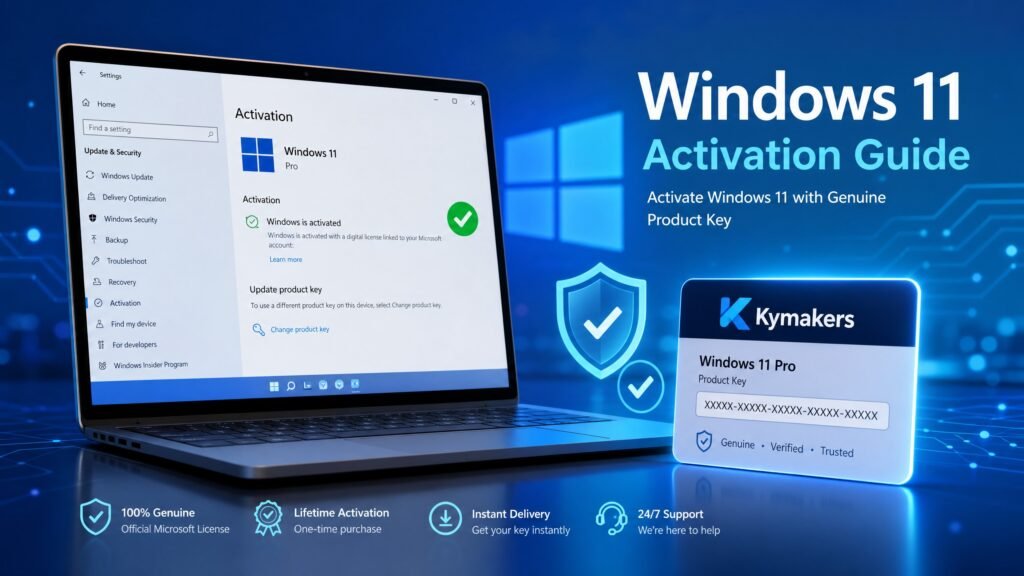
Windows 11 activation works in one of two ways: a digital licence tied to your PC’s hardware ID, or a 25-character product key you enter manually. To check which you have, open Settings → System → Activation. To activate now, go to Settings → System → Activation → Change product key, enter your genuine key, and confirm.
That covers most cases in thirty seconds. This guide covers everything else — the four legitimate activation methods, whether a Windows 10 key still works, every common error code and its actual cause, why version 25H2 knocked some PCs offline, and the honest truth about “free activation” tools you should never touch.
Table of Contents
- How Windows 11 activation actually works
- Method 1 — Digital licence (automatic)
- Method 2 — Product key
- Method 3 — Microsoft account
- Method 4 — Windows 10 key on Windows 11
- How to check your activation status
- Windows 11 activation error codes and fixes
- Reactivating after a hardware change
- Why 24H2 and 25H2 broke activation for some
- What happens if you never activate
- Why you should avoid activators and KMS tools
- Windows 11 activation for a new PC build
- FAQ
How Windows 11 activation actually works
Understanding the mechanism behind windows 11 activation solves most problems before they start. Windows 11 activation is Microsoft confirming that your copy of Windows is licensed for the hardware it is running on.
Two mechanisms exist:
Digital licence (digital entitlement). Microsoft stores a record on its servers linking your licence to a hardware fingerprint — essentially your motherboard’s identity. No key is stored on your PC in readable form. This is what you get after a free upgrade, a Microsoft Store purchase, or an OEM machine that has already been activated once.
Product key. A 25-character code in the format XXXXX-XXXXX-XXXXX-XXXXX-XXXXX. You enter it once; Windows contacts Microsoft’s servers and, if valid, converts it into a digital licence bound to your hardware from then on.
That last detail matters more than most guides admit: after a successful Windows 11 activation with a key, your machine effectively has a digital licence. Reinstall on the same hardware and it usually reactivates with no key needed.
One 2026 change worth knowing: telephone activation has been largely retired in favour of online activation. Older tutorials that tell you to dial an automated number are out of date — plan on having an internet connection.
Method 1 — Windows 11 activation with a digital licence
This is the effortless windows 11 activation path and it needs no action from you.
If your PC previously ran an activated copy of Windows 10 or Windows 11, or shipped with Windows preinstalled, the digital licence is already on Microsoft’s servers. Install or reinstall Windows 11, choose “I don’t have a product key” when setup asks, connect to the internet, and activation completes on its own — sometimes immediately, sometimes within a few hours.
You qualify for a digital licence if any of these apply:
- You upgraded from an activated Windows 10 installation on this PC.
- The PC came with Windows 11 preinstalled from the manufacturer.
- You bought Windows 11 from the Microsoft Store.
- You previously activated Windows 11 on this exact hardware.
If it does not activate within a day, run the Activation Troubleshooter (covered below) before assuming anything is wrong.
Method 2 — Windows 11 activation with a product key
This is the route for a fresh licence, a self-built PC, or an edition change.
- Open Settings → System → Activation.
- Expand Change product key and click Change.
- Type your 25-character key exactly, including dashes.
- Click Next, then Activate, and wait a few seconds.
If you prefer the command line, open Command Prompt as Administrator and run these two commands in order, replacing the placeholder with your real key:
slmgr /ipk XXXXX-XXXXX-XXXXX-XXXXX-XXXXX
slmgr /ato
The first installs the key, the second activates it against Microsoft’s servers.
The single most common mistake: keys are edition-specific. A Home key will not activate Pro, and a Pro key will not activate Home. Check your edition first under Settings → System → About, and match the key to it. This one mismatch causes more failed Windows 11 activation attempts than every other cause combined.
Method 3 — Windows 11 activation via your Microsoft account
Linking your licence to a Microsoft account is not required, but it is the best insurance you can get for free.
Go to Settings → Accounts and sign in with a Microsoft account, then check Settings → System → Activation. If it reads “Windows is activated with a digital licence linked to your Microsoft account,” you are protected.
Why this matters: a licence linked to an account survives events that would otherwise strand you — a motherboard replacement, a full reinstall on a wiped drive, or moving a retail licence to a new build. Without the link, Microsoft has no way to recognise you on changed hardware.
Do this today if it is not already done. It takes two minutes and saves an afternoon later.
Method 4 — Can a Windows 10 key activate Windows 11?
Yes — and this is one of the most useful facts in this guide. A genuine Windows 10 product key activates the matching edition of Windows 11. A Windows 10 Pro key activates Windows 11 Pro; a Windows 10 Home key activates Windows 11 Home.
Microsoft has confirmed this repeatedly through its own support channels, and it holds true in 2026. If a PC carries a valid Windows 10 digital licence, upgrading to Windows 11 normally carries the activation across with no interaction at all.
Two limits to be aware of:
- Editions must match. A Windows 10 Home key will not activate Windows 11 Pro. You need a Pro key or a Home-to-Pro upgrade key.
- Windows 7 and 8.1 keys no longer work. Microsoft closed that path in September 2023. Those keys are now rejected for Windows 10 and Windows 11 activation alike.
How to check your Windows 11 activation status
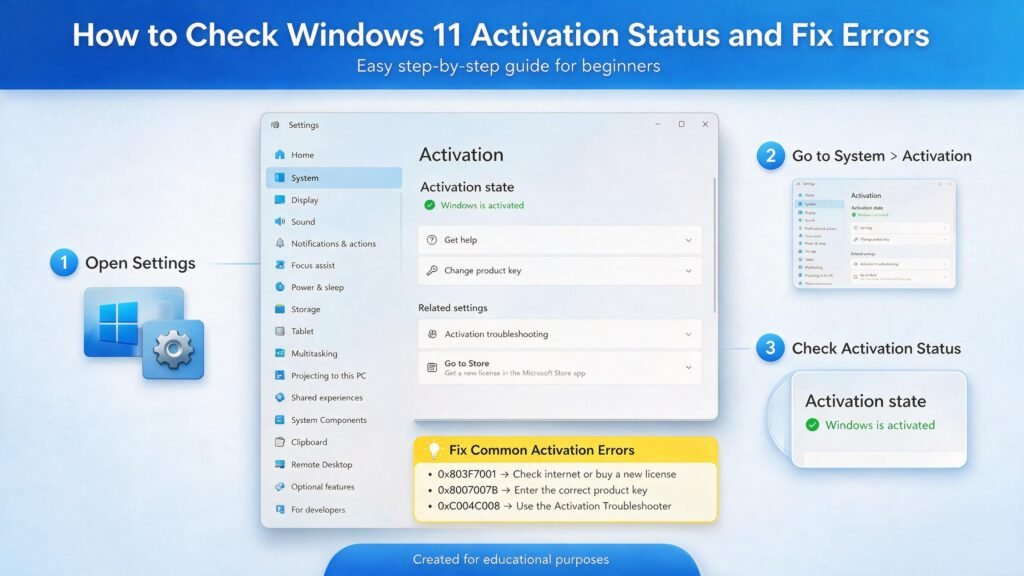
There are three ways to confirm your windows 11 activation state, from simplest to most detailed.
Settings. Go to Settings → System → Activation. The state line tells you plainly whether Windows is active and which mechanism is in use.
Quick command. Open Command Prompt as Administrator and run:
slmgr /xprA popup states whether the machine is permanently activated.
Full detail. For licence channel, partial key and expiry:
slmgr /dlvThis shows the last five characters of the installed key, the licence channel (Retail, OEM, Volume), and — for KMS activations — the remaining time. It is the single most useful diagnostic command for any Windows 11 activation problem.
Windows 11 activation error codes and what they actually mean
Windows 11 activation error codes look cryptic, but each one maps to a specific cause.
| Error | Real cause | Fix |
|---|---|---|
| 0xC004F050 | Invalid key, or wrong edition for the key | Verify the key and match Home/Pro exactly |
| 0xC004C003 | Server rejected the key — often already in use elsewhere | Contact the seller; a genuine key gets replaced |
| 0xC004F074 | KMS server unreachable (business networks) | Contact your IT department |
| 0xC004F034 | Invalid licence or no licence found | Re-enter the key; run the Troubleshooter |
| 0x803FA067 | Licence not valid for this hardware | Check the hardware-change route below |
| 0x803F7001 | No licence found for this device | Digital licence not recognised — sign in and troubleshoot |
| 0x8007232B | DNS cannot resolve — a generic/KMS key was used | Enter a genuine retail key instead |
The universal first step for most of these: Settings → System → Activation → Troubleshoot. Microsoft’s own Activation Troubleshooter resolves a surprising share of digital-licence failures automatically, and it is always safer than reaching for a third-party tool.
If a specific code keeps returning after the Troubleshooter and a correct key, our dedicated guide on what to do when a Windows key is not working walks through each code in depth.
Reactivating Windows 11 after a hardware change
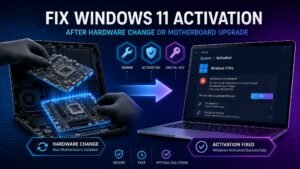
Replacing a motherboard effectively creates a new PC as far as Microsoft’s servers are concerned, so the digital licence stops matching.
If your licence was linked to a Microsoft account:
- Sign in with that account.
- Go to Settings → System → Activation → Troubleshoot.
- Choose “I changed hardware on this device recently.”
- Sign in again if prompted, select your device from the list, and click Activate.
If it was never linked to an account, this route is unavailable — the licence cannot be identified. A retail key can be re-entered manually; an OEM key cannot be moved to new hardware at all, because OEM licences are permanently tied to the machine they shipped with.
This is precisely why Method 3 above is worth doing before you need it.
Why versions 24H2 and 25H2 broke activation for some PCs
If your Windows 11 activation vanished right after a feature update, you are not imagining it and you did nothing wrong.
A major feature update such as 24H2 or 25H2 acts as a full refresh of Windows, and it triggers a fresh activation validation. Windows re-checks whether the installation still has a valid digital licence for the hardware and edition. A machine that had been fine for years can flip to “not activated” immediately after the update. Business deployments using MAK keys have seen the same behaviour after upgrades pushed through WSUS.
The fix is usually straightforward:
- Wait a few hours and connect to the internet — many cases resolve themselves once validation completes.
- Run Settings → System → Activation → Troubleshoot.
- If you have the original key, re-enter it under Change product key, or run
slmgr /ipkfollowed byslmgr /ato. - Confirm the edition still matches the licence — a rare few upgrades land on a different edition than expected.
What happens if you never activate Windows 11?
Honest answer: skipping windows 11 activation costs less than people fear, but enough to matter.
An unactivated Windows 11 keeps working. Your files open, your apps run, security updates still arrive. What you lose is a persistent “Activate Windows” watermark on the desktop, and personalisation — you cannot change wallpaper, colours, themes, or lock-screen settings. Some Settings pages are greyed out, and periodic reminders appear.
There is no hard cut-off and no deadline that disables the OS. But it is not a licensed state, it looks unprofessional on any machine a client or colleague might see, and on a work computer it is a genuine compliance problem.
Why you should avoid activators and KMS tools
This warning belongs in every honest Windows 11 activation guide.
Search results are full of “activation scripts,” KMS tools and generic keys promising free activation. Skip all of it, for four concrete reasons:
- Malware risk. These tools require administrator access and disable security features to work. That is exactly the profile of a malware delivery mechanism, and infections through them are well documented.
- They break. Cracked activation typically fails at the next cumulative or feature update, sending you back to square one.
- Generic keys never activate. Published codes let you install a specific edition. They do not license it, and they are the usual source of error 0x8007232B.
- Compliance. On any business or client machine, unlicensed Windows is a liability that costs far more than a licence.
A genuine key from a legitimate reseller costs a small fraction of Microsoft’s retail price — because resellers buy surplus and regional stock in volume, not because anything is being cracked.
Windows 11 activation for a new PC build
Building your own PC removes the one convenience OEM buyers get for free: there is no key in the firmware and no prior digital licence on the hardware. Windows 11 activation on a fresh build therefore always needs a real licence.
The clean sequence:
- Install Windows 11 from a USB created with Microsoft’s Media Creation Tool.
- When setup asks for a key, either enter it now or choose “I don’t have a product key” and activate afterwards. Both work.
- Once you reach the desktop, connect to the internet and sign in with a Microsoft account.
- Go to Settings → System → Activation → Change product key and enter your genuine key.
- Confirm the state line now reads “activated with a digital licence linked to your Microsoft account.”
Step 5 is the one builders skip and later regret. A self-built PC is the machine most likely to get a new motherboard someday, and the account link is what makes that survivable.
A note on editions before you buy
Decide Home or Pro before purchasing, because keys are not interchangeable. Pro adds BitLocker, Remote Desktop host, Hyper-V, Windows Sandbox, Group Policy and domain join. If none of those appear on your list, Home genuinely is enough and you should keep the difference.
If you buy Home and later want Pro, you do not need to reinstall — a Home-to-Pro upgrade key performs an in-place edition change in minutes, and Windows 11 activation completes as part of it.
Get a genuine Windows 11 key at Kymakers
Genuine one-time-purchase Windows 11 licences: legally sourced, tested before delivery, activated on Microsoft’s own servers, delivered by email in minutes, with a money-back guarantee.
- Browse all Windows 11 editions: https://kymakers.shop/product-category/windows/windows-11/
- Windows 11 Pro product key: https://kymakers.shop/product/microsoft-windows-11-pro-product-key/
- Windows 11 Home product key: https://kymakers.shop/product/microsoft-windows-11-home-product-key/
- Windows 11 Home to Pro upgrade key: https://kymakers.shop/product/windows-11-home-to-pro-upgrade-key/
Not sure which edition you need? Our Windows 11 Home vs Pro comparison settles it in five minutes, and our step-by-step guide on how to activate a Microsoft product key covers the process with screenshots. Unsure whether your PC even qualifies? Check our Windows 11 requirements guide first — TPM 2.0 and Secure Boot are the usual blockers.
Windows 11 activation FAQ
Is Windows 11 activation free? The upgrade from an activated Windows 10 PC is free — the existing licence carries over. A fresh licence for a new or unlicensed PC must be purchased.
Can I use a Windows 10 key for Windows 11 activation? Yes, provided the edition matches. A Windows 10 Pro key activates Windows 11 Pro. Windows 7 and 8.1 keys stopped working in September 2023.
How long can I use Windows 11 without activating? Indefinitely, in practice. There is no shutdown deadline — but you keep a desktop watermark, lose personalisation options, and remain unlicensed.
Why did Windows 11 deactivate itself after an update? Feature updates such as 24H2 and 25H2 trigger a fresh activation validation. Connect to the internet, wait a few hours, then run the Activation Troubleshooter.
Do I need a Microsoft account for Windows 11 activation? Not to activate, but linking one is strongly recommended. It is the only way to recover a digital licence after a motherboard change.
What is error 0xC004F050 in Windows 11 activation? Usually an edition mismatch — a Home key on a Pro installation or vice versa — or an invalid key. Check your edition under Settings → System → About and match it.
Can I move my Windows 11 licence to a new PC? Retail keys: yes, after removing them from the old machine. OEM keys: no, they are permanently bound to their original hardware.
Does Windows 11 activation still work in 2026? Yes. Microsoft’s licensing servers validate digital licences and keys normally. Note that telephone activation has largely been retired in favour of online activation.
Written by the KYMakers Technical Team. Technically reviewed by a Microsoft licensing specialist. Last updated: August 2, 2026. Sources: Microsoft Learn, Microsoft Support, Microsoft Q&A. KYMakers sells genuine, one-time-purchase Microsoft license keys with instant email delivery.