“What Windows do I have?” sounds like a beginner’s question until the moment it matters — installing software that needs a specific version, calling support, checking whether your PC still gets security updates, or buying an upgrade key and needing to know your starting point. Then everybody googles it, beginners and IT veterans alike.
The answer takes under a minute to find. Here are the two fastest ways, what every field on that screen actually means, and — the part most guides skip — what your answer means for you in 2026, because a couple of these results come with deadlines attached.
The 10-second method: winver
- Press the Windows key + R together. A small Run box opens.
- Type winver and press Enter.
A window pops up with your Windows version at the top — “Windows 11”, “Windows 10” — followed by a version number like 23H2 or 22H2 and a build number. That’s usually everything you came for.
[image: the winver About Windows dialog box showing Windows 11 version and build number]
The full-detail method: Settings
- Press Windows key + I to open Settings.
- Go to System, then About (bottom of the list).
This screen shows more: edition (Home, Pro, Enterprise), version, build, plus whether your Windows is 64-bit and what processor and RAM the machine has. It’s the screen a support person means when they ask “what are you running?”
What the fields mean, in one table
| Field | Example | What it tells you |
|---|---|---|
| Edition | Windows 11 Pro | The product tier — decides features like BitLocker and Remote Desktop |
| Version | 24H2 | The yearly feature release — year plus half (24H2 = second half of 2024) |
| OS build | 26100.2033 | The exact patch level — mostly for support calls |
| System type | 64-bit | Which software installers you should download |
No Settings app? Identifying older Windows by sight
If Windows key + I opens nothing recognizable, you’re likely on something older. Quick visual identification: a Start button that opens full-screen colorful tiles is Windows 8 or 8.1; a round Start orb with a search box and glassy transparent window edges is Windows 7; centered taskbar icons are Windows 11; left-aligned icons with a tiled Start menu are Windows 10. The winver command works on all of them.
Now the important part: what your answer means
You have Windows 11
You’re current. Nothing to do except let updates run. If you’re on Home and keep bumping into missing features like BitLocker, the Home vs Pro comparison shows what an upgrade key unlocks.
You have Windows 10
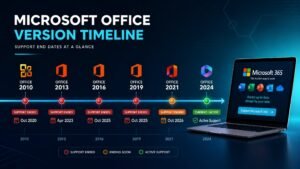
You have a deadline. Regular support ended in October 2025 and the consumer security-update extension runs out in October 2026 — very soon. Your realistic options (free upgrade, LTSC, new machine) are ranked honestly in our Windows 10 end of support guide, and the first step is checking your PC against the Windows 11 requirements.
You have Windows 7 or 8.1
That machine has been unpatched for years and shouldn’t touch online banking. If the hardware still has life in it, the escape route is a cheap genuine license and a clean install — the Windows 7 to 10 upgrade guide walks the whole path, and genuine Windows keys cost less than most people’s lunch budget for the week.
The screen says “Windows is not activated”
Different problem — that’s licensing, not version. A watermark in the corner and locked personalization settings mean Windows is running unlicensed; a genuine key and five minutes with the activation guide fix it permanently.
What Windows do I have — FAQ
How do I check if my Windows is 32-bit or 64-bit?
Settings, System, About — “System type” says it outright. Virtually every PC from the last decade is 64-bit, but the field exists precisely because “virtually” isn’t “all”.
Does my Windows version affect which software I can install?
Increasingly, yes. New apps routinely require Windows 10 or 11, and more each year require 11 specifically. This — more than any Microsoft deadline — is what eventually forces upgrades: the software you want stops meeting you where you are.
How do I find my Windows product key?
Modern activation is usually a digital license tied to the machine — there may be no typed key to find, and after sign-in with your Microsoft account, reactivation is automatic. Keys you bought are in your purchase email; at KYMakers that email is your permanent record, so it’s worth an archive folder.
Is version 22H2 still okay to run on Windows 10?
22H2 is Windows 10’s final version — there is no newer one to move to. Whether it’s “okay” is now a support-deadline question rather than a version question; see the end-of-support guide above and pick your route before October.